FlowVella Web Creator — Now Out of Beta 
| | |

FlowVella Web Creator — Now Out of Beta 

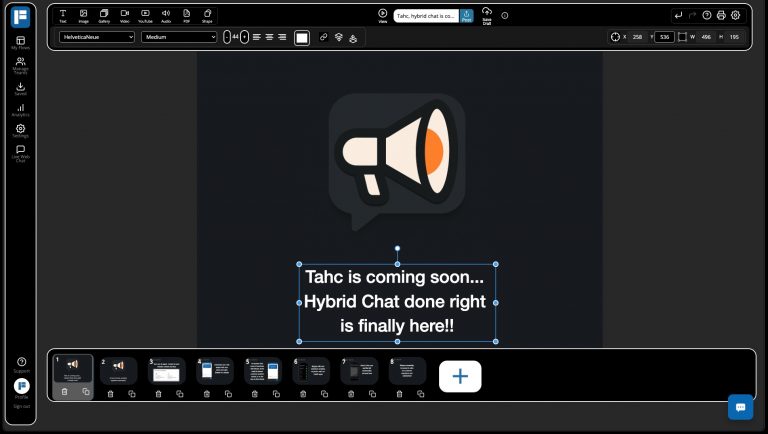
The FlowVella Web Creator is officially out of beta! After extensive updates, it’s now faster, more stable, and fully modernized — with dark mode, better canvas controls, Cloudflare-powered media hosting, and over 40 major improvements. Whether you’re building iPad kiosks or interactive presentations, the web editor is now better than ever.

6 Steps to Make an Impressive Presentation
| | | |

6 Steps to Make an Impressive Presentation

At FlowVella, we’re in the business of helping you tell a story. But what happens when you’re not sure what that story is yet? I think we’ve all been there; you’ve been asked by to come back to your alma mater and give a talk about your current career path. Or maybe you’ve been asked to…

| | | | | |

Create an Audio Presentation with Dropbox, GarageBand & FlowVella

With the new audio support in FlowVella for iPad and Mac, you are probably wondering what the best way to create and add your audio is! If you already have sound clips you’d like to add, we highly recommend dropping them into a cloud source like Dropbox or Google Drive for easy access anytime. If…

| | | |

Presentation Settings and Analytics Links

Today we are happy to introduce some updates to our Flow settings and analytics on the web. Now our web player displays quicker access to analytics and settings from each of your Flows! Read on for more about these web updates, and what we are working on next. Presentation Settings and Analytics Links We made…

| | | | |

Creating a Presentation with Adobe Creative Cloud

Did you know you can use your Adobe Creative Cloud account with FlowVella for iPad? We introduced this feature a few months ago to encourage creatives to use their existing Adobe files, from Photoshop, Illustrator, and more, to create engaging presentations Our recent update has made accessing your Adobe files even easier with increased stability. Whether…

| | | | | |

8 Master Business Presentation Tips

A version of this article first appeared on Inc.com on March 25, 2015. Sometimes we have just one shot to get our point, our pitch, our cause across with impact. Inc. spoke with some of the presentation-business leaders to learn their secrets to a great pitch and presentation. From corporate trainers to authors, professional presenters to…

| | | | | | |

Presentation Pro Tips for FlowVella

Fresh for the New Year, we’re kicking off a new set of blog posts and flows call ‘Pro Tips’ where we highlight presentation tips and tricks for FlowVella. Presentation Pro Tips #1: Right-click or Two Finger Tap or Secondary Clicking Our first Pro Tip is for our Mac app (flowvella.com/presentation-software-mac) and is about accessing the…

| | | | | | | | |

Presenter Notes, Presenter Display and Auto Advance

Today we’re introducing a few of our brand new features in the 1.1 FlowVella for Mac update: Presenter Notes, Presenter Display and Auto Advance (Autoplay)! We’ve heard from many of you that you often use FlowVella to present in front of a live audience and want a way to present in a timely and organized…