









Creating teams and adding team members in FlowVella PRO
Pro Tips Creating a team and adding members
Continue >
Creating a team and adding members on FlowVella.com
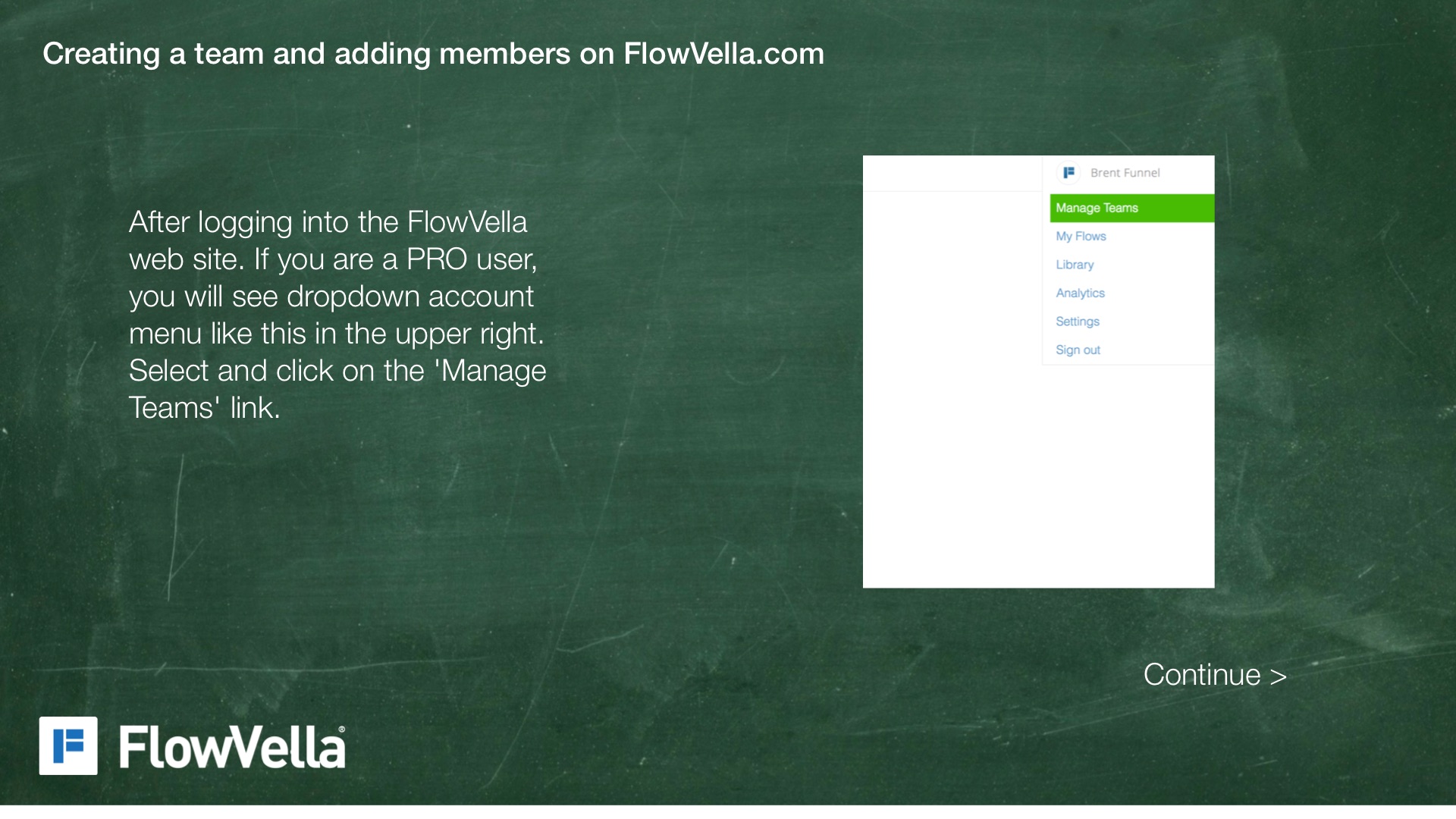
After logging into the FlowVella web site. If you are a PRO user, you will see dropdown account menu like this in the upper right. Select and click on the 'Manage Teams' link.
Continue >
Creating a team and adding members on FlowVella.com
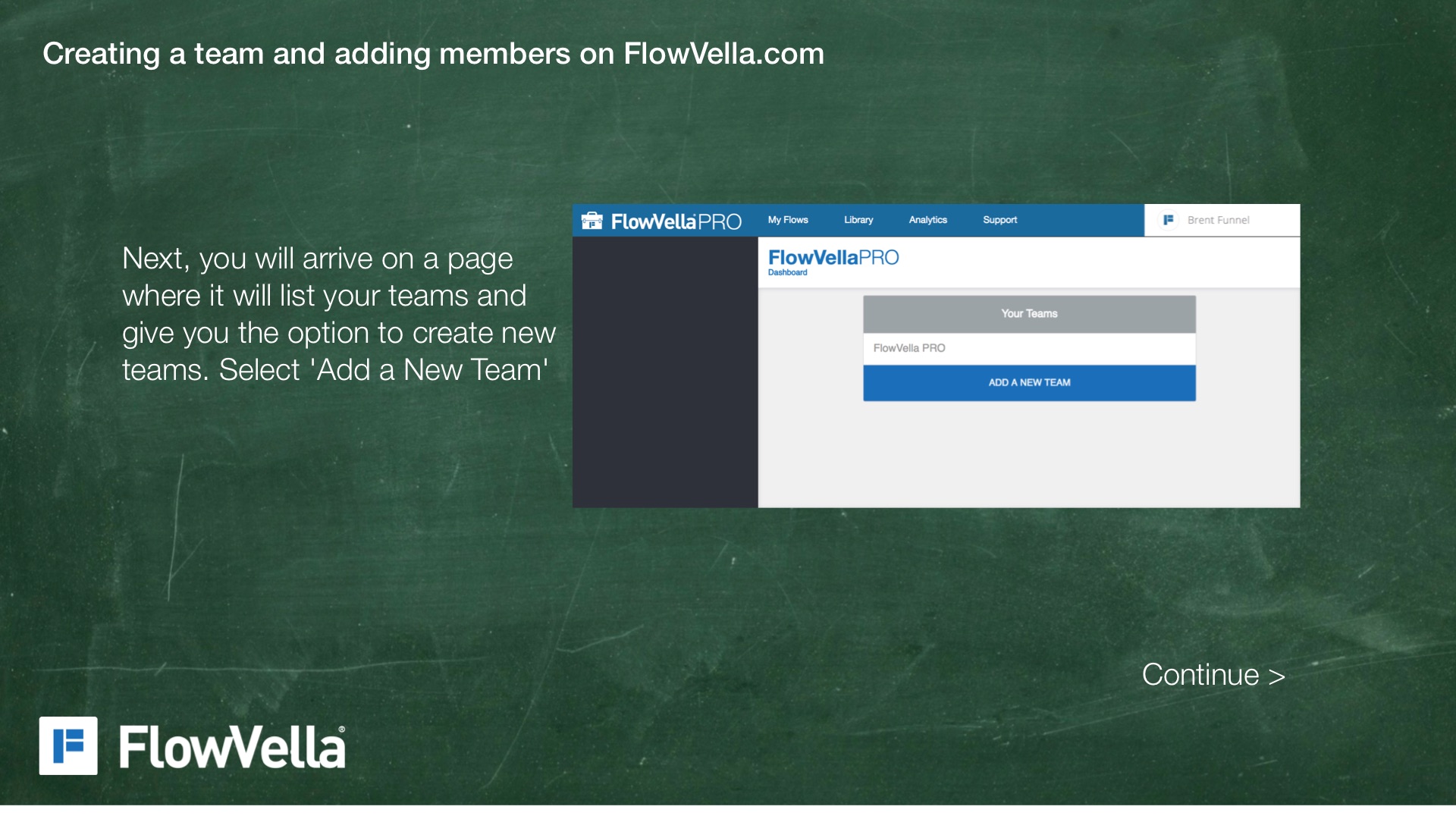
Next, you will arrive on a page where it will list your teams and give you the option to create new teams. Select 'Add a New Team'
Continue >
Creating a team and adding members on FlowVella.com
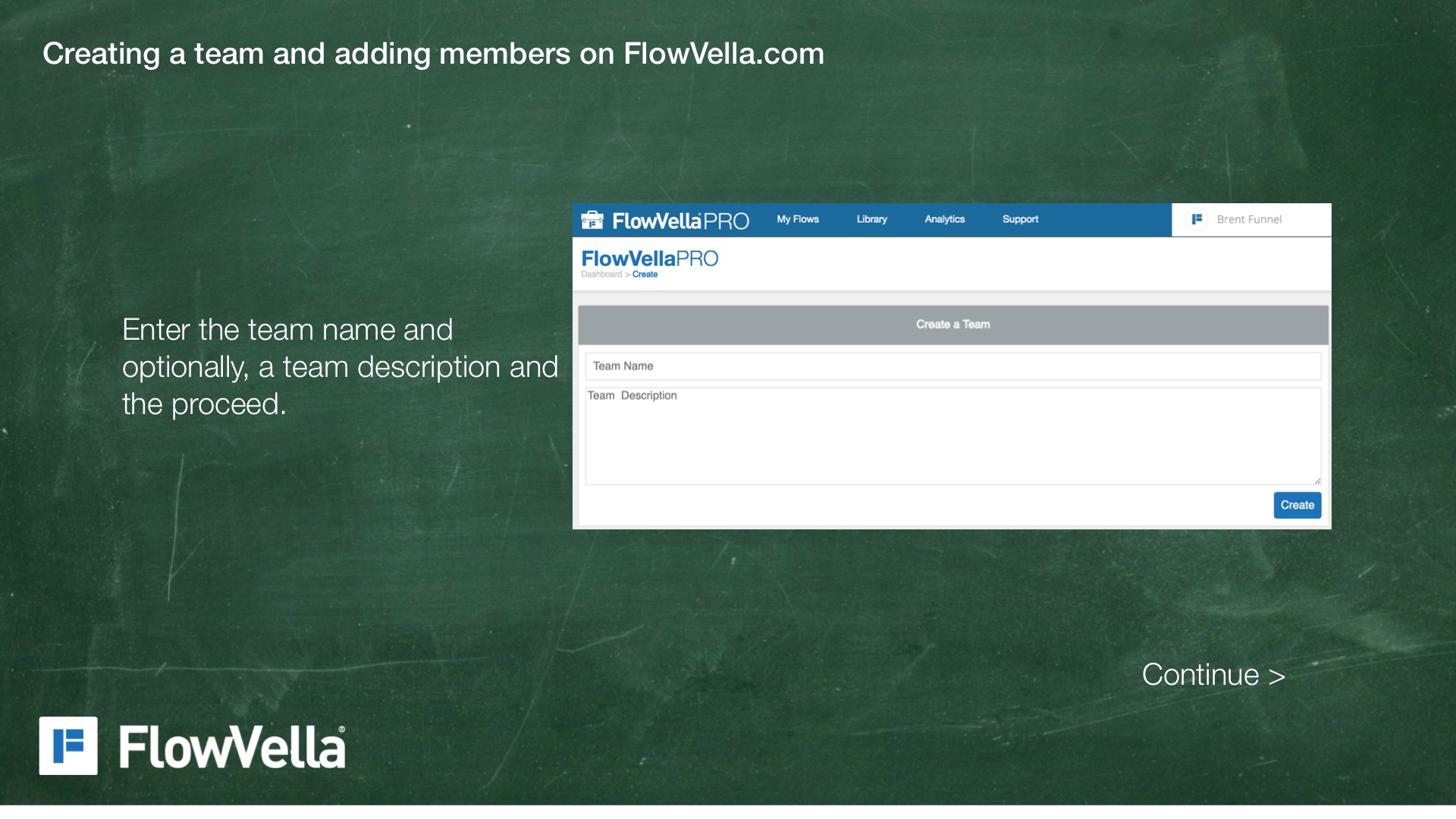
Enter the team name and optionally, a team description and the proceed.
Continue >
Creating a team and adding members on FlowVella.com
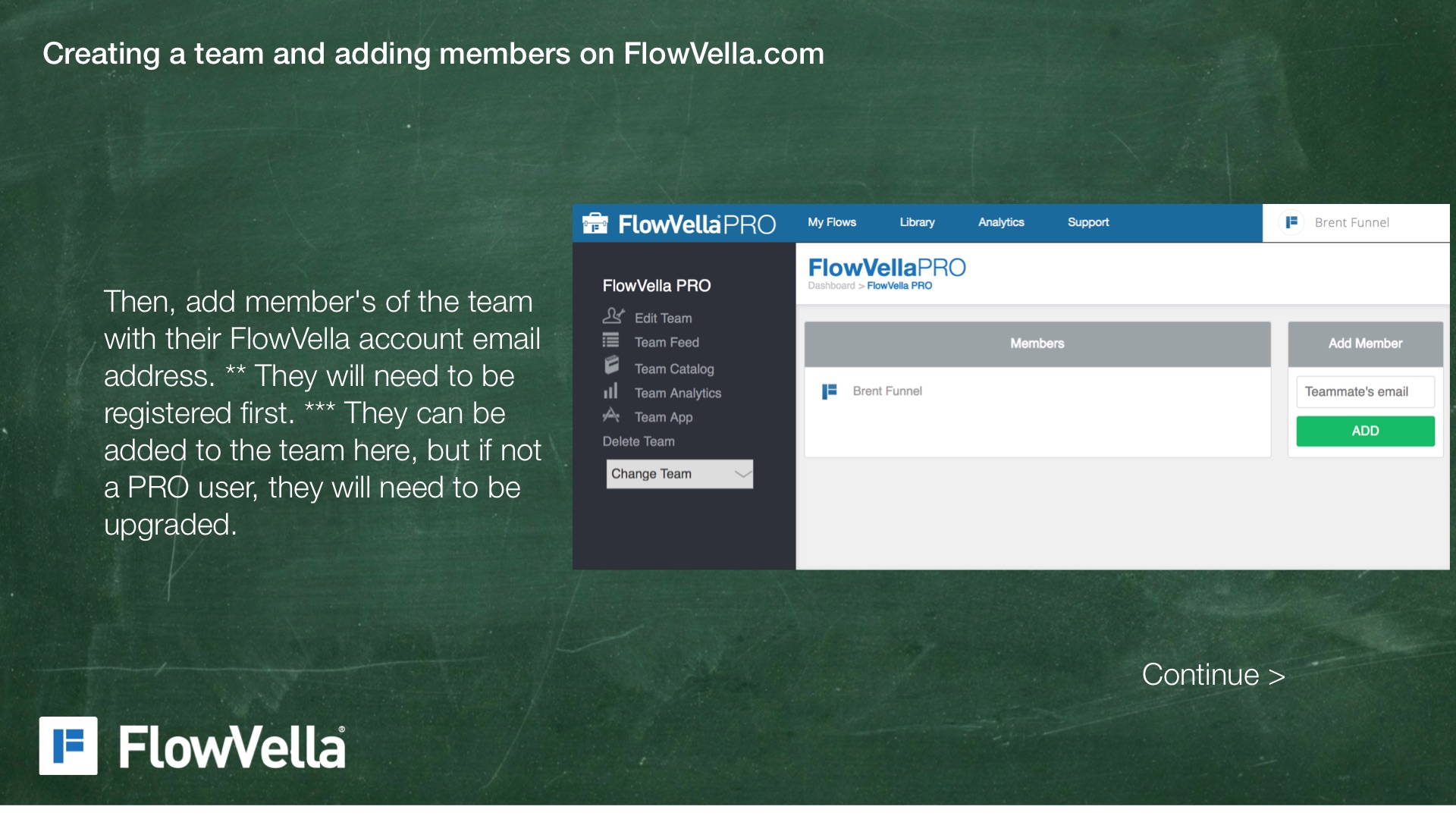
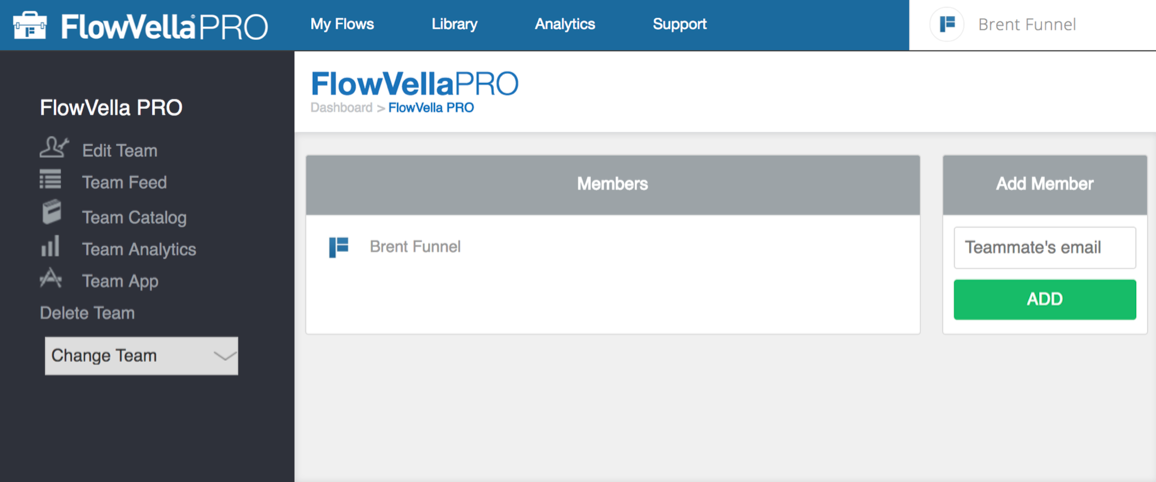
Then, add member's of the team with their FlowVella account email address. ** They will need to be registered first. *** They can be added to the team here, but if not a PRO user, they will need to be upgraded.
Continue >
Creating a team and adding members on FlowVella.com
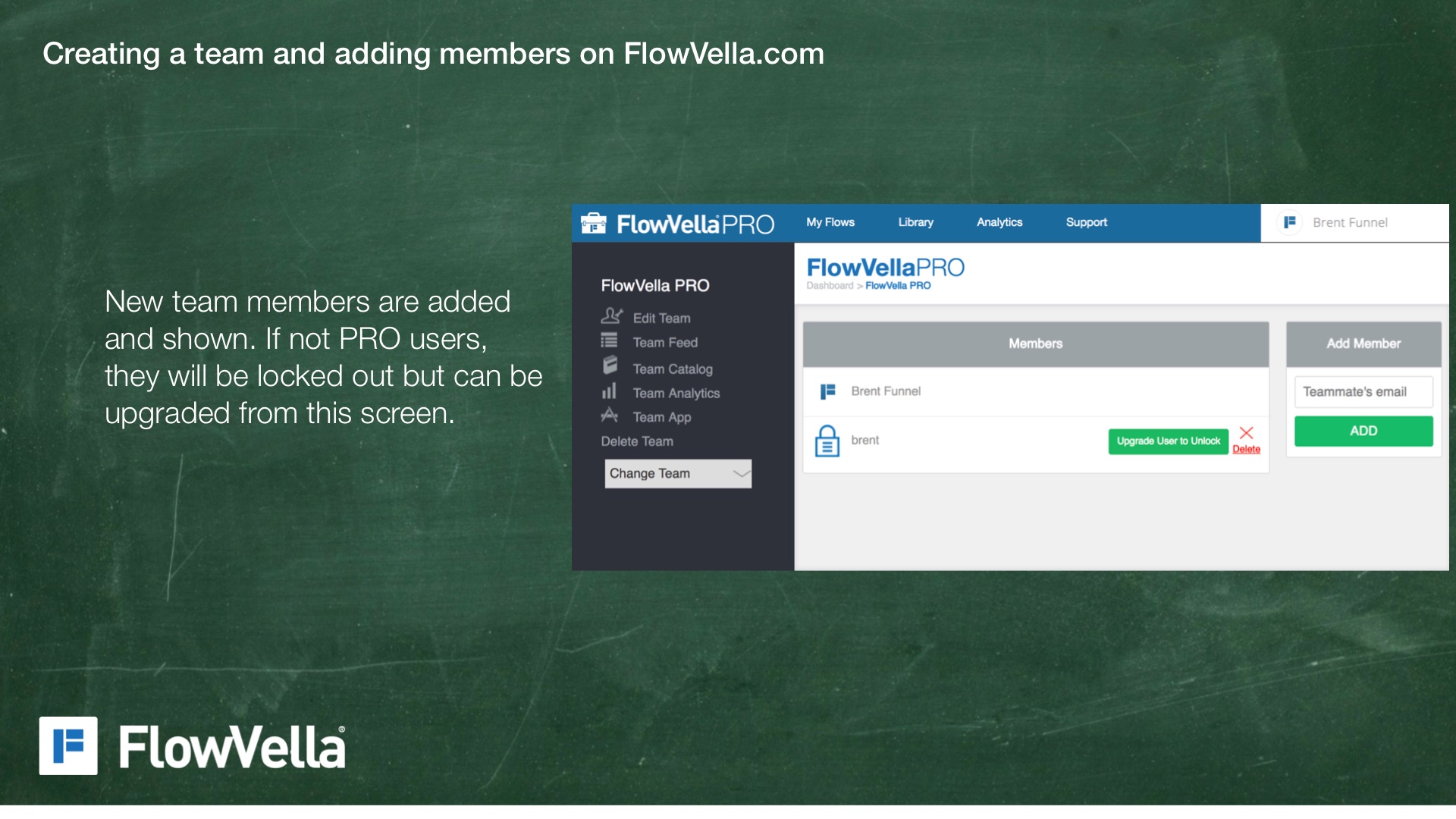
New team members are added and shown. If not PRO users, they will be locked out but can be upgraded from this screen.