Sign up for FlowVella
Sign up with FacebookAlready have an account? Sign in now
By registering you are agreeing to our
Terms of Service
Loading Flow

Downloading Image /
Downloading Image /
Next, select a video, image, or audio to insert to your movie.
Once you have done that, you can select the image, video, or audio and edit the amount of time that it is on the screen by dragging the ends of the item apart or closer together.
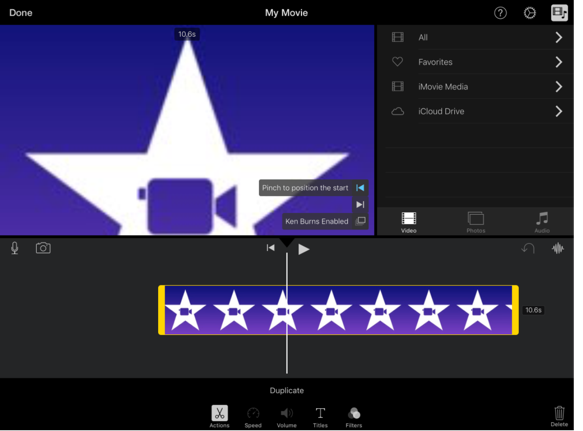
The Operation for Making a Movie
Downloading Image /
Downloading Image /
Downloading Image /
Downloading Image /
Downloading Image /



FlowVella, Previously Known As Flowboard
© 2026 FlowVella
 FlowVella