





Adding Audio to Your Flows with GarageBand and DropBox
Adding Audio with GarageBand & Dropbox
with
Adding Audio to Your Flow
It's easy to add annotations to your flows on your iPad. Audio will add another level of depth and engagement that your viewers (and listeners) will appreciate. With GarageBand and a DropBox account, you'll be adding audio in minutes.
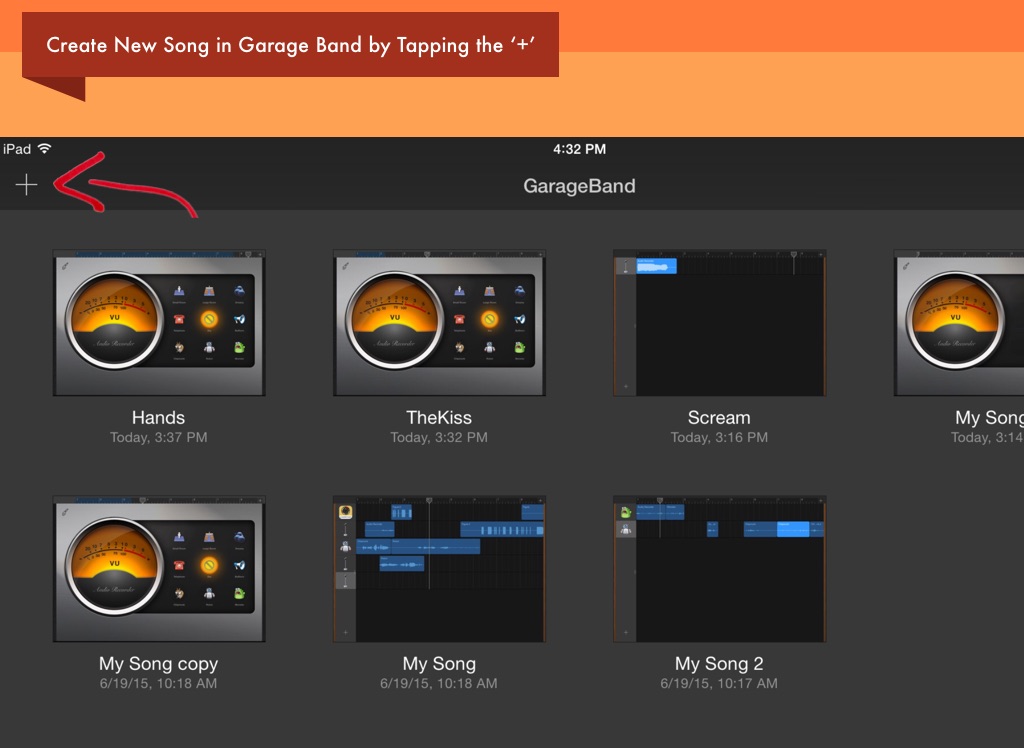
Create New Song in Garage Band by Tapping the ‘+’
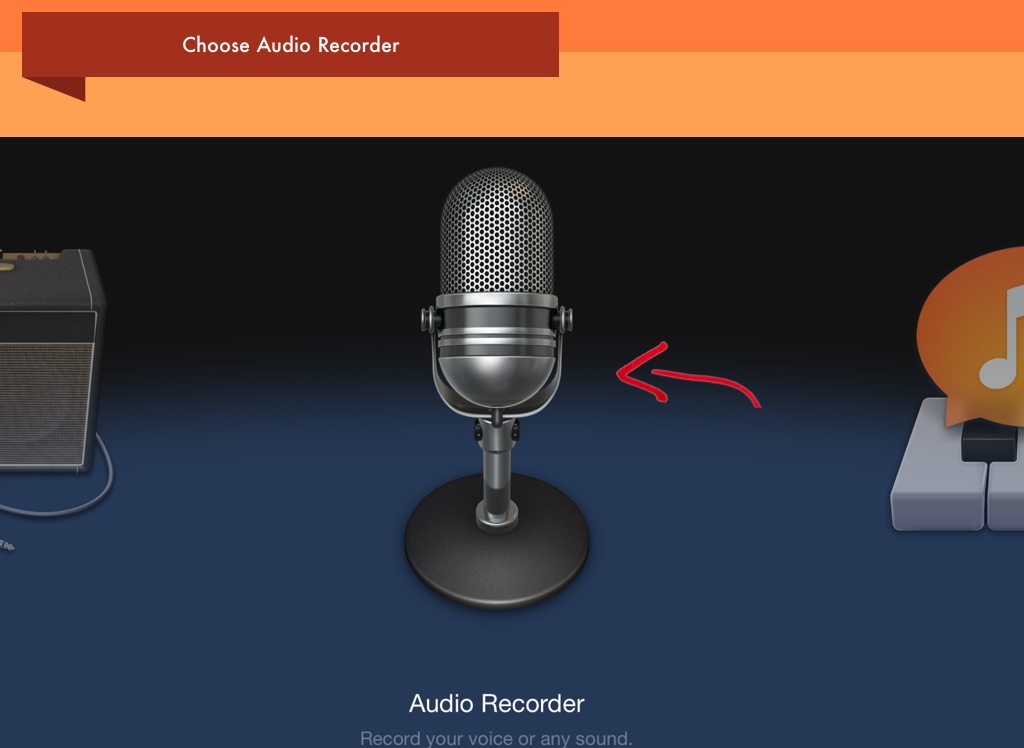
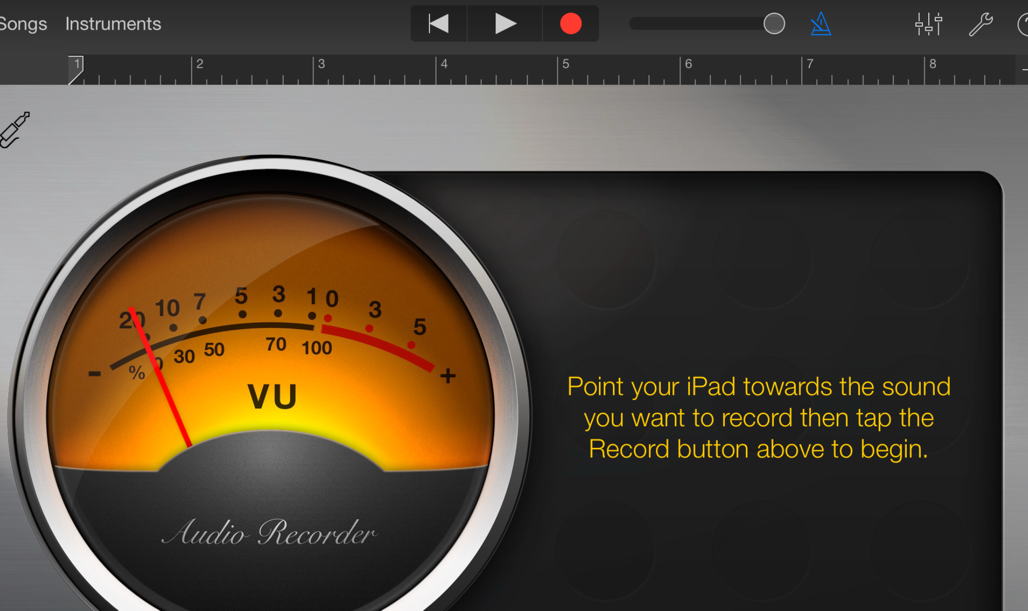
Choose Audio Recorder
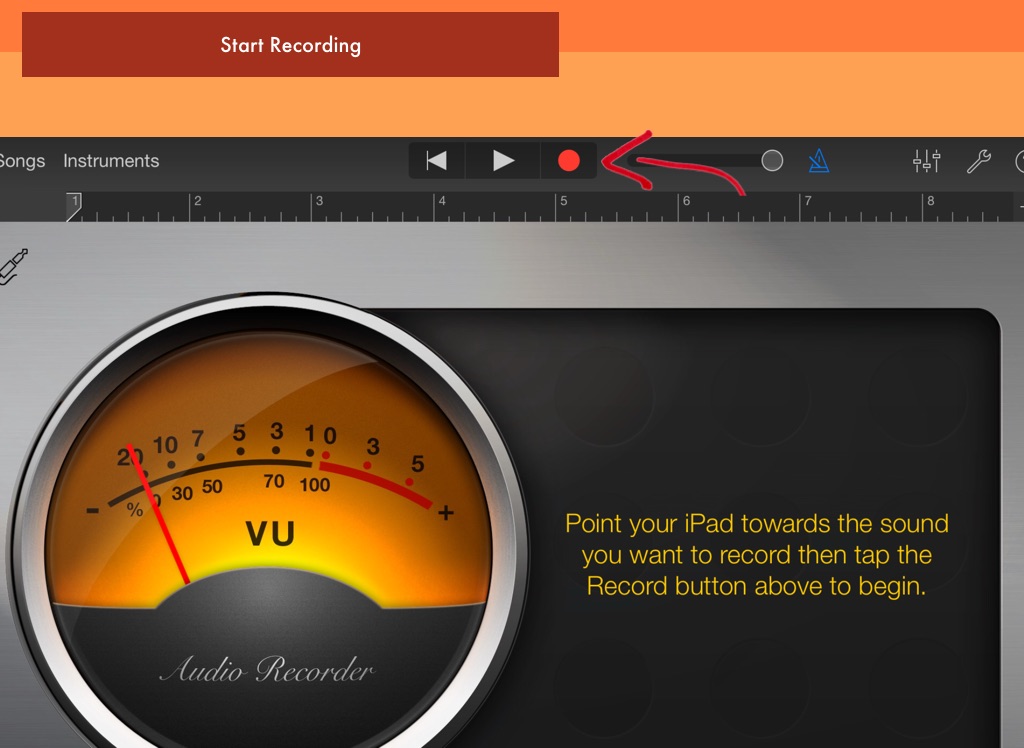
Start Recording
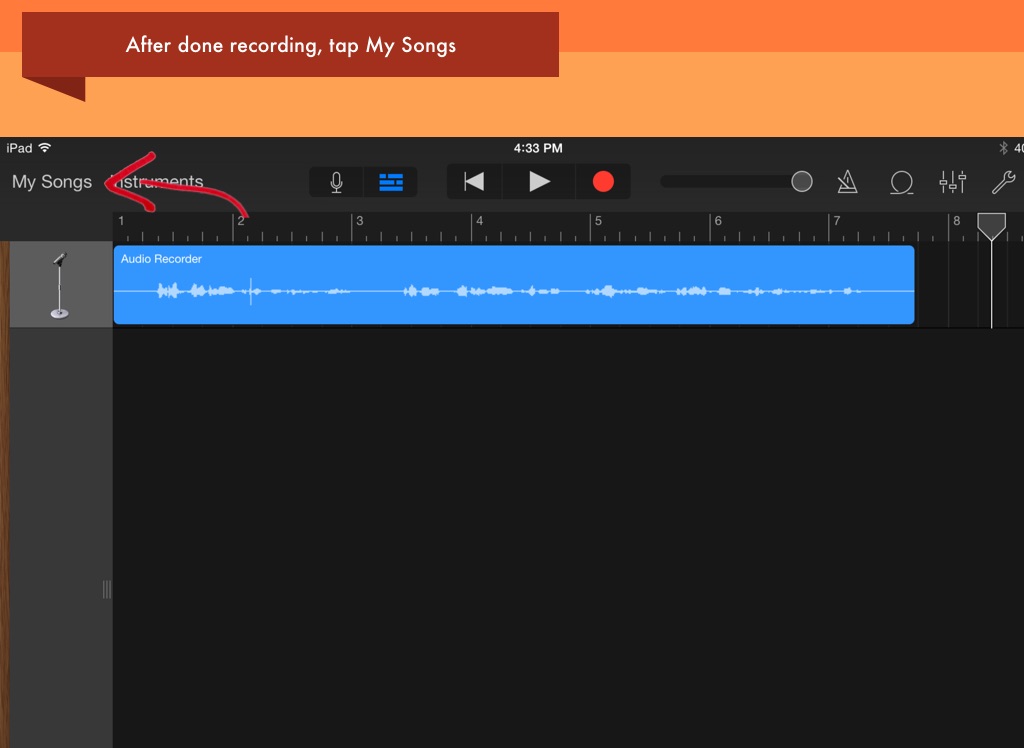
After done recording, tap My Songs
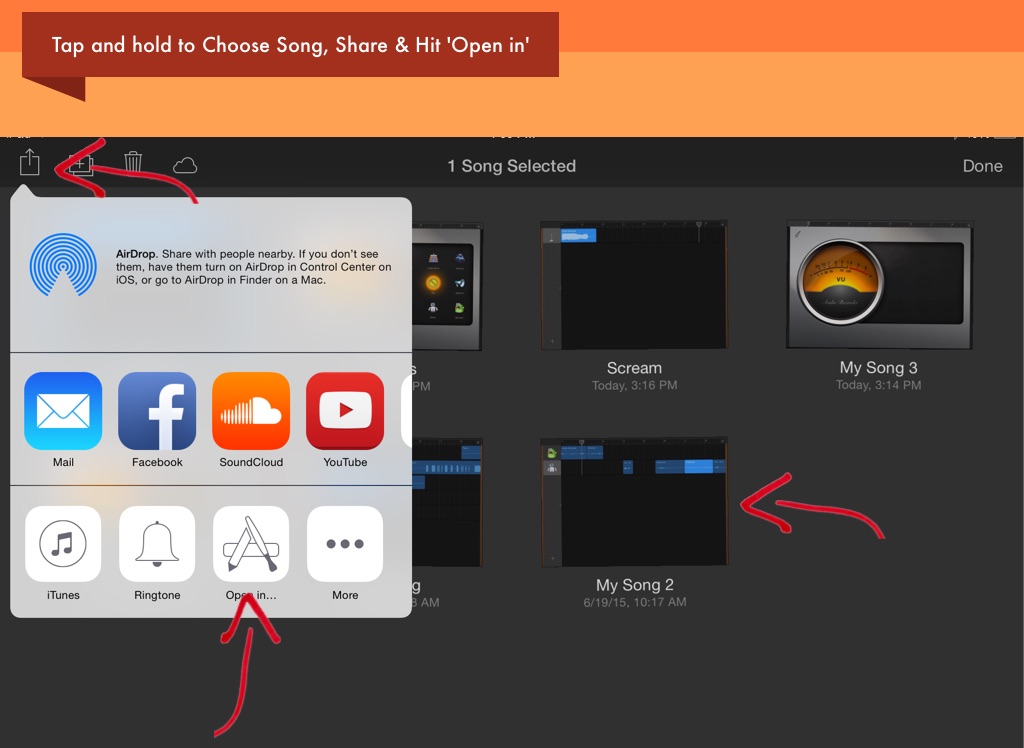
Tap and hold to Choose Song, Share & Hit 'Open in'
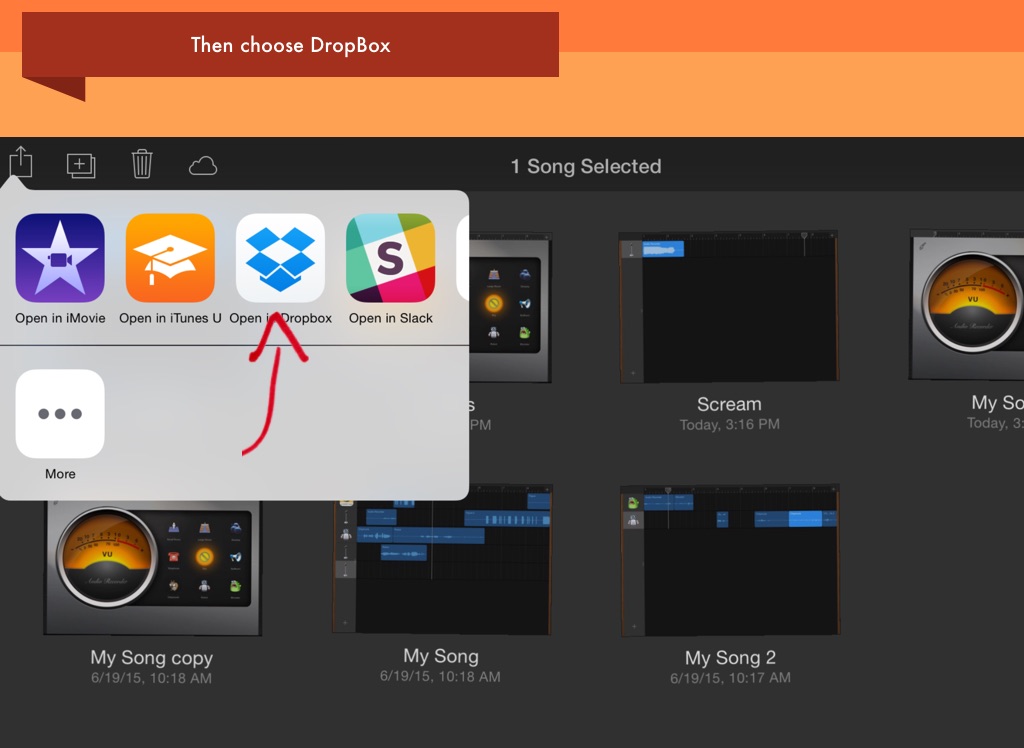
Then choose DropBox
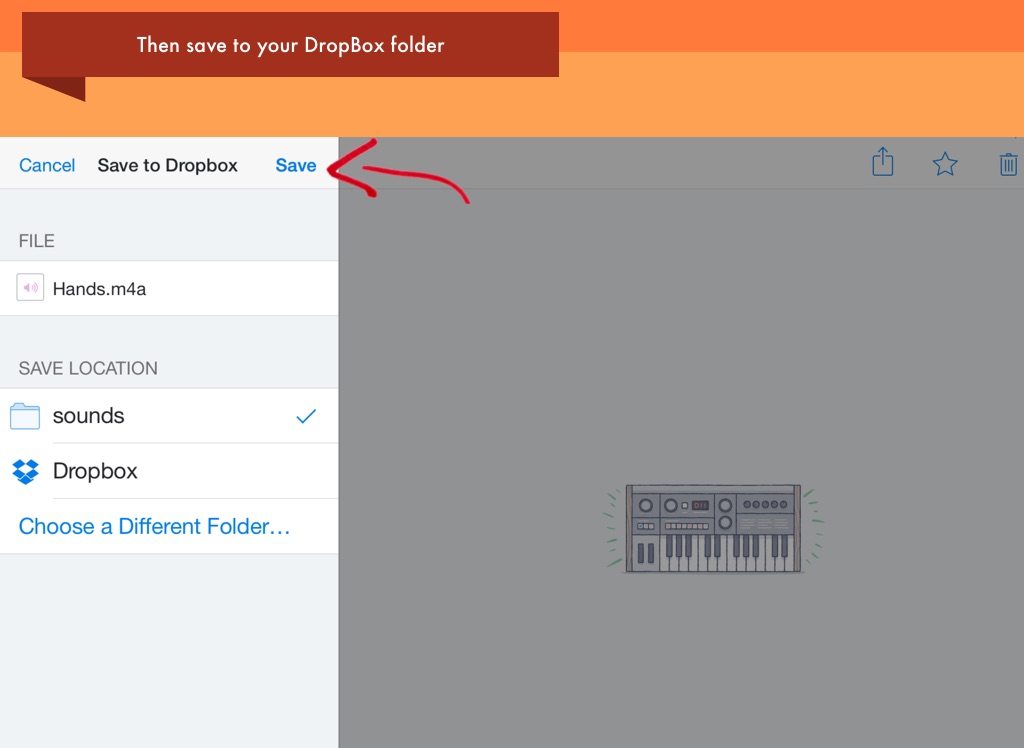
Then save to your DropBox folder
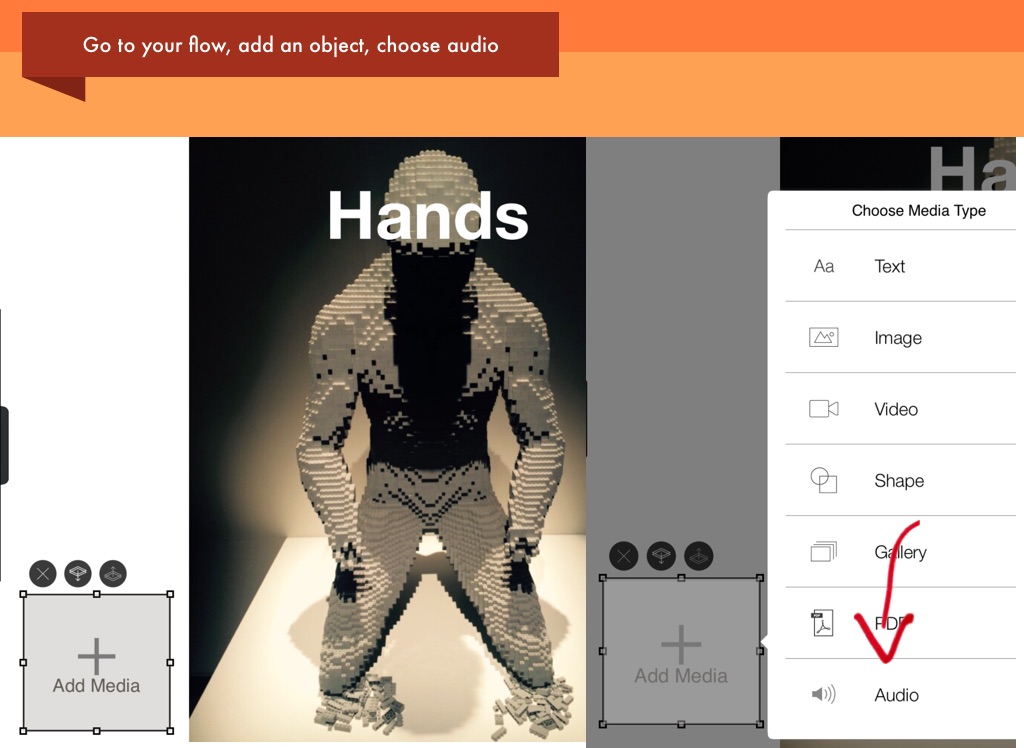
Go to your flow, add an object, choose audio
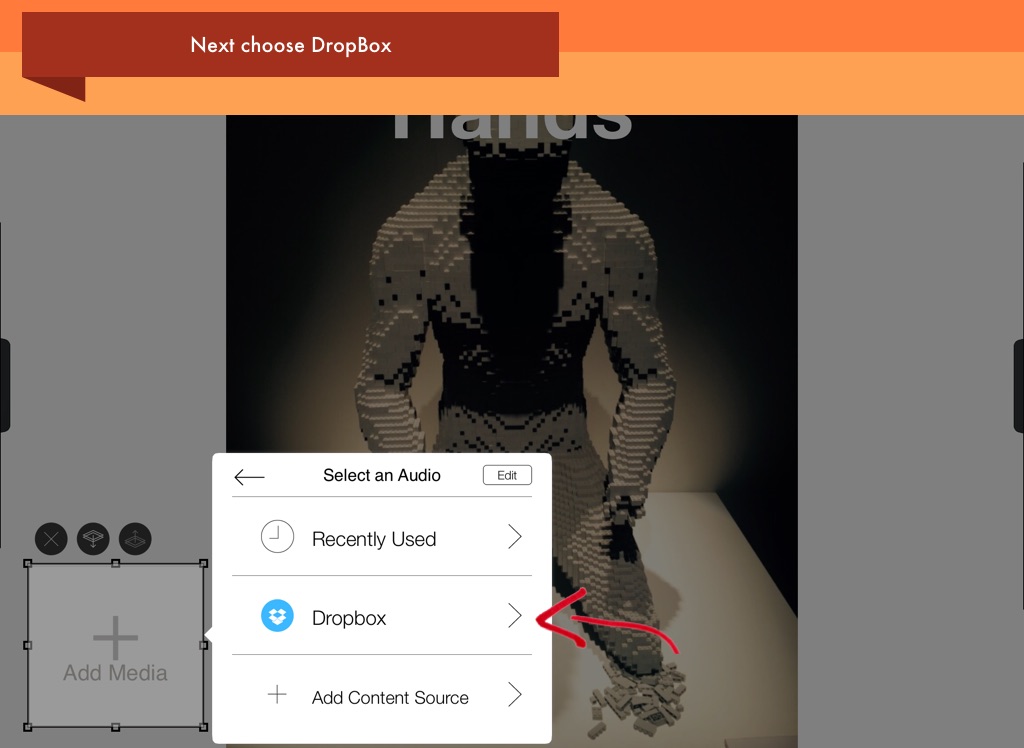
Next choose DropBox
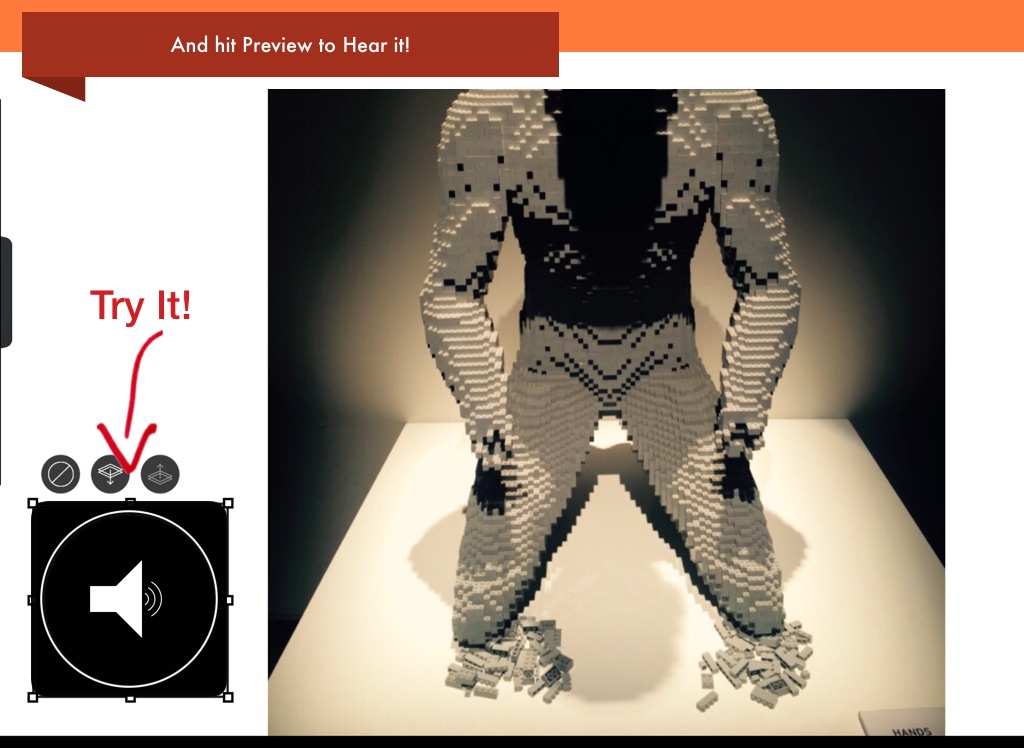
Try It!
And hit Preview to Hear it!