Share This Flow

How to Download Mac Apps From Any Developer

3 / 3

Share This Flow

Scan to view on mobile

Loading Flow

Downloading Image /

Downloading Image /

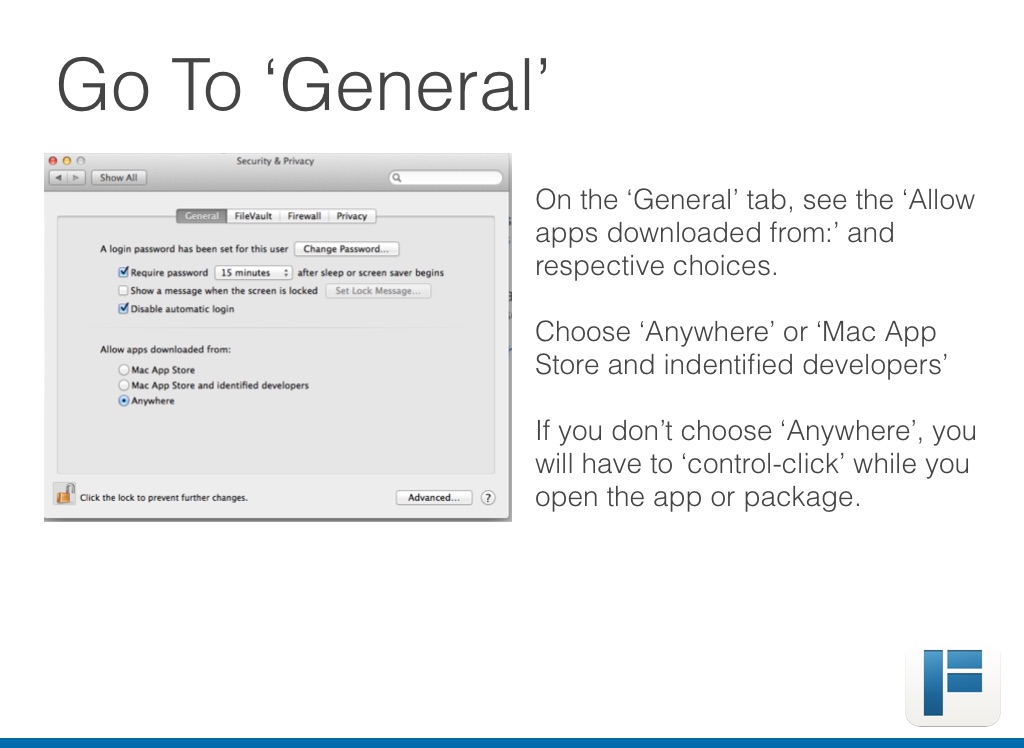
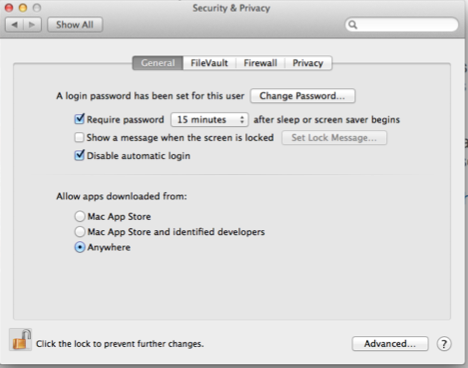
Go To ‘General’


On the ‘General’ tab, see the ‘Allow apps downloaded from:’ and respective choices.


Choose ‘Anywhere’ or ‘Mac App Store and indentified developers’


If you don’t choose ‘Anywhere’, you will have to ‘control-click’ while you open the app or package.

Downloading Image /

  • 1

  • 2

  • 3

How to Download Mac Apps From Any Developer

By Brent Brookler

Made by the team behind FlowVella — meet Flow2, presentations built for the phone