Loading Flow
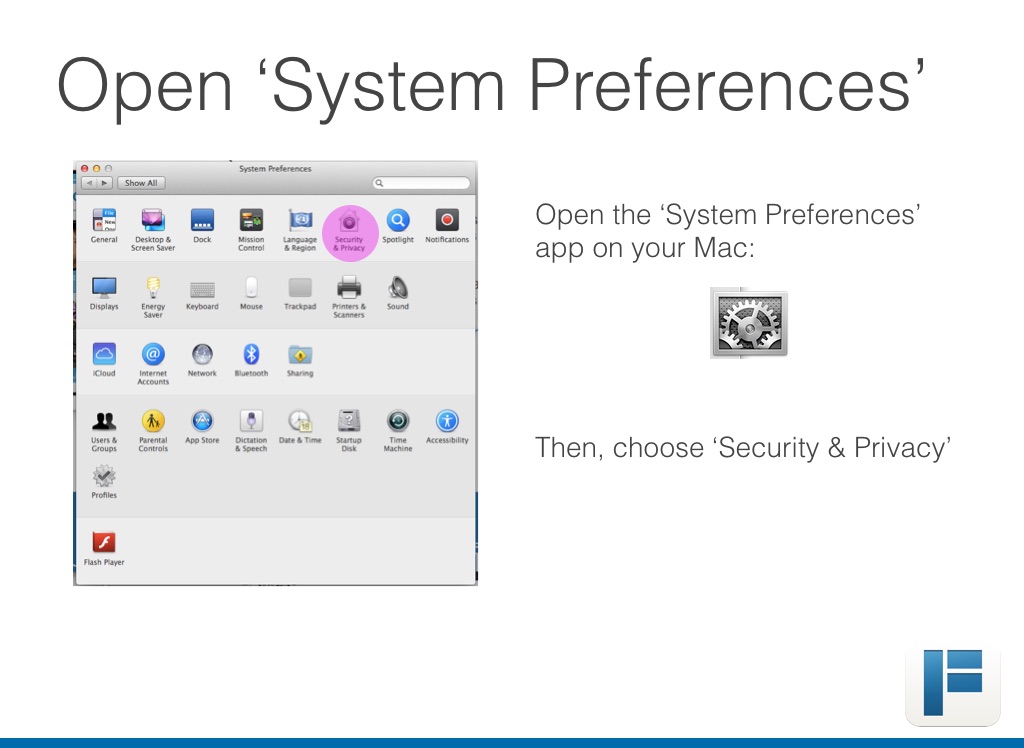
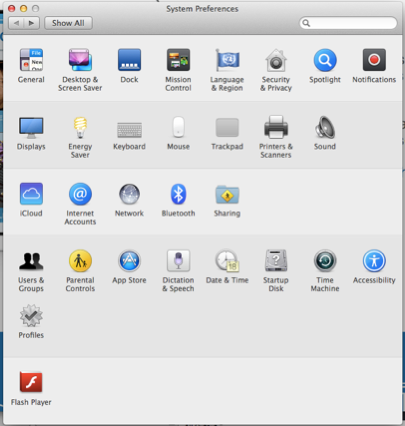
Open the ‘System Preferences’ app on your Mac:
Open ‘System Preferences’

Then, choose ‘Security & Privacy’





Loading Flow
Open the ‘System Preferences’ app on your Mac:
Open ‘System Preferences’
Then, choose ‘Security & Privacy’
FlowVella, Previously Known As Flowboard
© 2026 FlowVella