Sign up for FlowVella
Sign up with FacebookAlready have an account? Sign in now
By registering you are agreeing to our
Terms of Service
Loading Flow

Downloading Image /
Downloading Image /
Downloading Image /
Downloading Image /
Downloading Image /
Downloading Image /
Downloading Image /
Downloading Image /
Downloading Image /
Downloading Image /
Downloading Image /
Downloading Image /

Retouch Reestablish Application
When a guest has full head color with new growth appearing at the scalp area plus color that has faded 1-2 levels at the midlengths and ends, a Retouch Reestablish application will fully restore color.

Sectioning
1. Use a comb to section the hair into four quadrants.
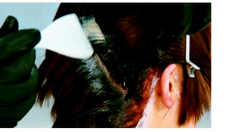


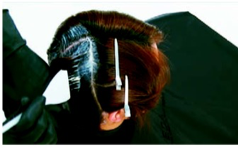
Subsectioning and
product application
5. Start at the nape in the back right quadrant. Lift the quadrant up with one hand and use the other hand and the tail of a color brush to take a diagonal ¼ " subsection. Clip the
remaining hair away.
Color formula
3. Mix color formulas in small
enough batches to keep the coloractive (approximately 40 grams). Mix more as needed.
Guest comfort and
protection
2. Apply protective cream to theguest’s skin along the hairline
perimeter.
Sub-sectioning and
product application
6. Using a color brush, thoroughly apply formula 1 to the new growth.
‼️note: Product should extend½inch fromthe scalp. If newgrowth exceeds ½ inch, a
Virgin Retouch application is
recommended. During this
application, product is appliedfirst to the new growth that extends beyond the ½inch
at the new growth. This area
is processed to the half-way
stage, then product is applied
to the newgrowth. Be sure to
overlap this product with whathas already been applied.
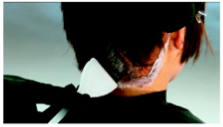
Outline the first quadrant
4. Begin product application with formula 1. Outline the back right quadrant along the hairline and parts, all the way around the perimeter of the quadrant.
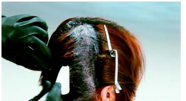
Sub-sectioning and product application
7. Continue in this manner, working up toward the point of distribution, taking diagonal subsections and
applying formula 1 to new growth.
Working upward, pivot the subsec-
tions slightly toward the right ear so you will eventually finish with a vertical subsection at the end of the quadrant.
32.A
Downloading Image /
Downloading Image /
Downloading Image /
Downloading Image /
Downloading Image /
Downloading Image /
Downloading Image /
Downloading Image /
Downloading Image /
Downloading Image /
Downloading Image /
Downloading Image /
Downloading Image /
Downloading Image /
Downloading Image /
Downloading Image /
Downloading Image /
Downloading Image /
Downloading Image /



FlowVella, Previously Known As Flowboard
© 2026 FlowVella
 FlowVella